
Rules decide where each connection goes in Rule mode: through a proxy or proxy group, directly, or nowhere. Potatso uses Mihomo-style rules, so the rules from a Clash or Mihomo subscription work as they are.
Rules only apply in Rule mode. Global and Direct mode don't use them, and Smart mode uses its own rules. See Outbound modes and Smart Routing.
Open your rules
On Home, tap More Configurations, then Rules.
How rules are matched
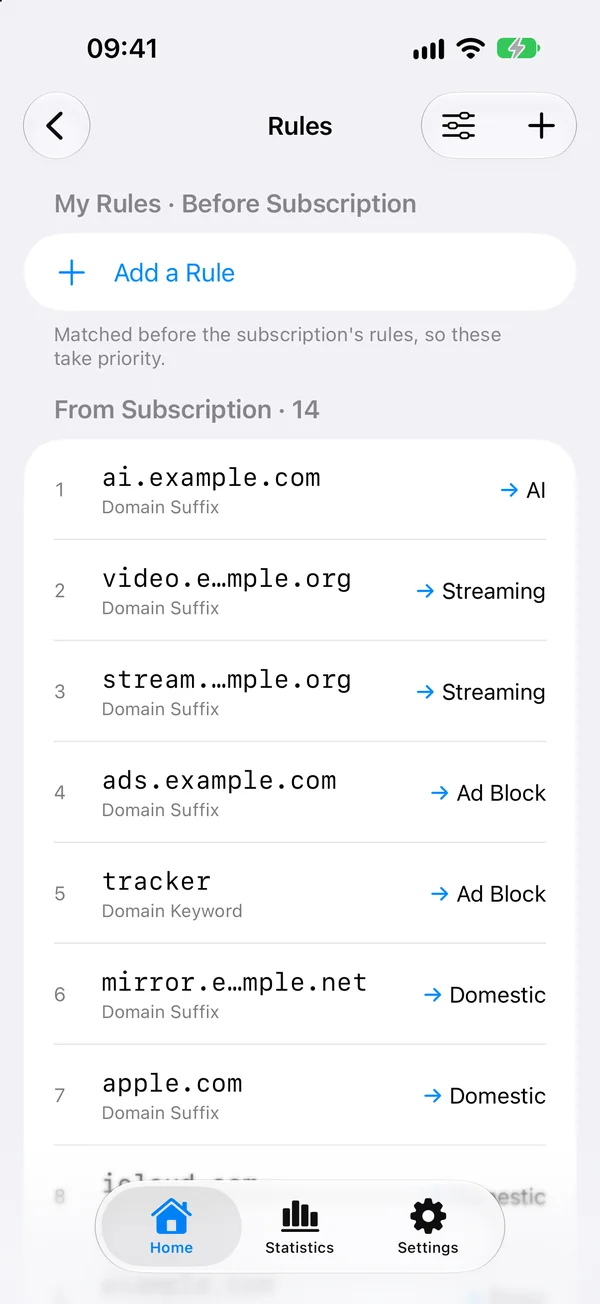
Rules are matched from top to bottom. Matching stops at the first rule that applies. Traffic that matches none of the rules uses the Final outbound, shown as All Other Traffic at the bottom of the list. Tap it to choose that outbound.
Profiles from a subscription
When a profile comes from a subscription, its rules are listed in three parts:
| Section | Matched |
|---|---|
| My Rules · Before Subscription | First, so these take priority. |
| From Subscription | Next, in the subscription's own order. |
| My Rules · After Subscription | Only when none of the subscription's rules apply. |
Subscription rules keep their order and update with the subscription. Your own changes are re-applied automatically after each subscription update, and More Configurations lists them under My Overrides. The original subscription is never modified. To import a subscription, see Import subscriptions.
Add a rule
- In Rules, tap Add a Rule.
- Under When Connecting To, choose a rule type. Tap More Types for the full list.
- Enter the value, such as
example.com. When you add a domain rule, From Recent Connections suggests hosts your device connected to. - Tap Route To and choose a proxy, a proxy group, Direct or Reject.
- For a subscription profile, choose Position: Before Subscription Rules or After Subscription Rules. Otherwise, choose Top or Bottom.
- Tap Add.
The footer under the value says what the rule will match, and the rule line it will save, such as DOMAIN-SUFFIX,example.com,DIRECT.
To change a rule, tap it. To reorder or delete rules, tap Edit Rules.
Rule types
| Type | Rule keyword | Matches |
|---|---|---|
| Domain Suffix | DOMAIN-SUFFIX |
A domain and all its subdomains. |
| Domain | DOMAIN |
Only this exact domain. |
| Domain Keyword | DOMAIN-KEYWORD |
Any domain that contains the keyword. |
| Domain Wildcard | DOMAIN-WILDCARD |
Domains like *.example.com. * matches any characters and ? matches one. |
| Domain Regex | DOMAIN-REGEX |
Domains that match a regular expression. |
| IP CIDR | IP-CIDR |
Destination IPv4 addresses in a range, such as 10.0.0.0/8. |
| IPv6 CIDR | IP-CIDR6 |
Destination IPv6 addresses in a range, such as fc00::/7. |
| IP Suffix | IP-SUFFIX |
The trailing bits of the destination IP. |
| IP ASN | IP-ASN |
The network operator (AS number) of the destination IP. |
| GeoIP | GEOIP |
The destination IP's country or region, such as CN. |
| GeoSite | GEOSITE |
A domain category from GeoSite, such as category-ads-all. |
| Destination Port | DST-PORT |
Ports or port ranges, such as 80/443/1000-2000. |
| Network | NETWORK |
All TCP or all UDP traffic. |
| Rule Set | RULE-SET |
Everything in a rule provider. |
Domain Suffix, Domain, Domain Keyword, IP CIDR and Rule Set are listed first. The others are under More Types.
Under Options, Network limits a rule to TCP or UDP traffic. IP, GeoIP and Rule Set rules also have No Resolve, which keeps Potatso from resolving hostnames to match the rule.
Rule providers
A rule provider is a list of domains or IP ranges that Rule Set rules use. Subscriptions often include them.
To add one:
- On Home, tap More Configurations, then Rule Providers.
- Tap Add Rule Provider.
- Enter a Name and choose its Type: HTTP (downloaded from a URL), File or Inline.
- Choose its Behavior (Domain, IP CIDR or Classical) and Format (YAML, MRS or Text).
- For an HTTP provider, enter its URL and choose an Update Interval.
- Tap Save.
Then add a rule of type Rule Set, choose the provider and where it goes. A provider does nothing until a rule uses it.
Tap a provider to see how many rules it has loaded, update it with Update Now, or browse its rules. MRS is a compiled binary format, so its rules can't be listed.
Community rule sets
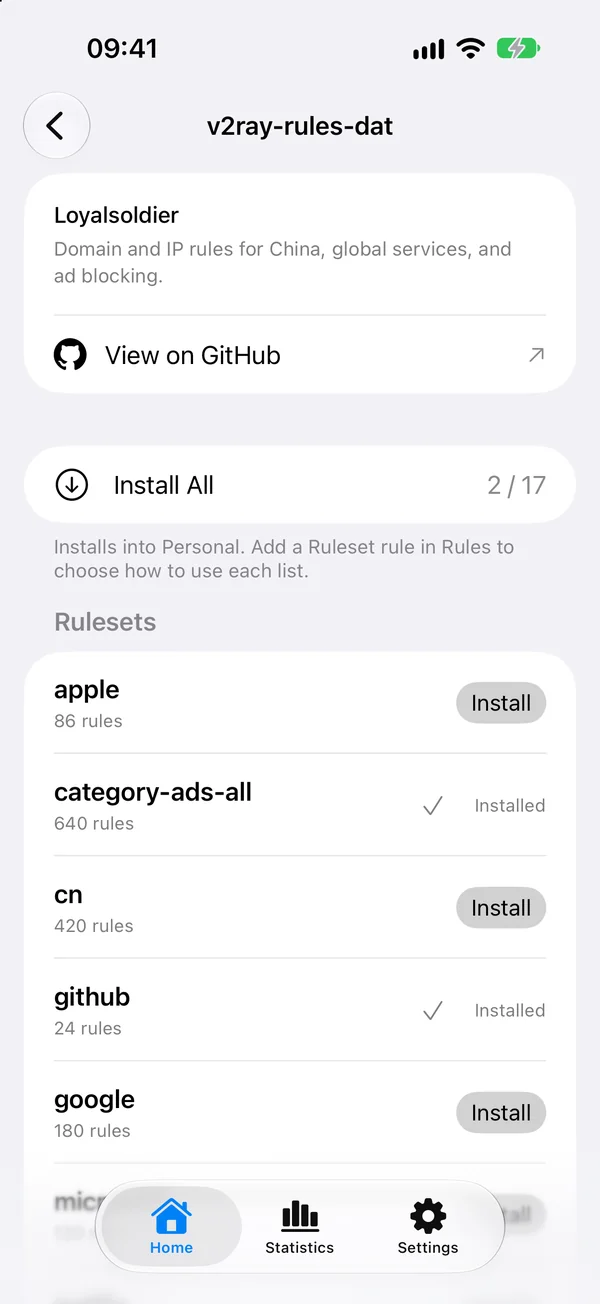
Rule Providers also lists Community Rules, ready-made lists from these GitHub repositories:
Loyalsoldier/v2ray-rules-datrunetfreedom/russia-v2ray-rules-datChocolate4U/Iran-v2ray-rules
Tap a repository, then tap Install next to a list, or Install All. The lists install into the current profile as rule providers. Add a Rule Set rule in Rules to choose how to use each list.
GeoIP and GeoSite data
GeoIP, IP ASN and GeoSite rules use the GeoData databases that come with Potatso. They're shared by all profiles and updated from each database's GitHub releases.
To manage updates, open Settings and tap GeoData:
- Automatic Updates checks when the app opens and in the background. Choose how often under Check Every. Without Use Cellular Data, checks wait for Wi-Fi.
- Check for Updates checks now. This may use cellular data.
A downloaded version is used from the next connection. When one is ready while you're connected, tap Apply Downloaded Version.