
A proxy group is a reusable choice of nodes. Rules can send traffic to a group, and the group decides which node carries it: the one you pick, the fastest, or the first that works. Clash and Mihomo subscriptions usually bring their own groups.
Groups are used in Rule and Global mode. Smart mode makes its own groups and doesn't use your profile's. See Smart Routing.
Group types
| In Potatso | Clash type | How it chooses a node |
|---|---|---|
| Manual | select |
You decide which one to use. |
| Fastest | url-test |
Tests regularly and uses the lowest latency. |
| Fallback | fallback |
Uses the first available, in order. |
| Load Balance | load-balance |
Spreads connections across members, with the Round Robin or Consistent Hashing strategy. |
| Relay | relay |
Chains members in order. Needs at least two. |
Potatso keeps Relay for groups that already use it, such as imported ones. You can't choose it for a new group.
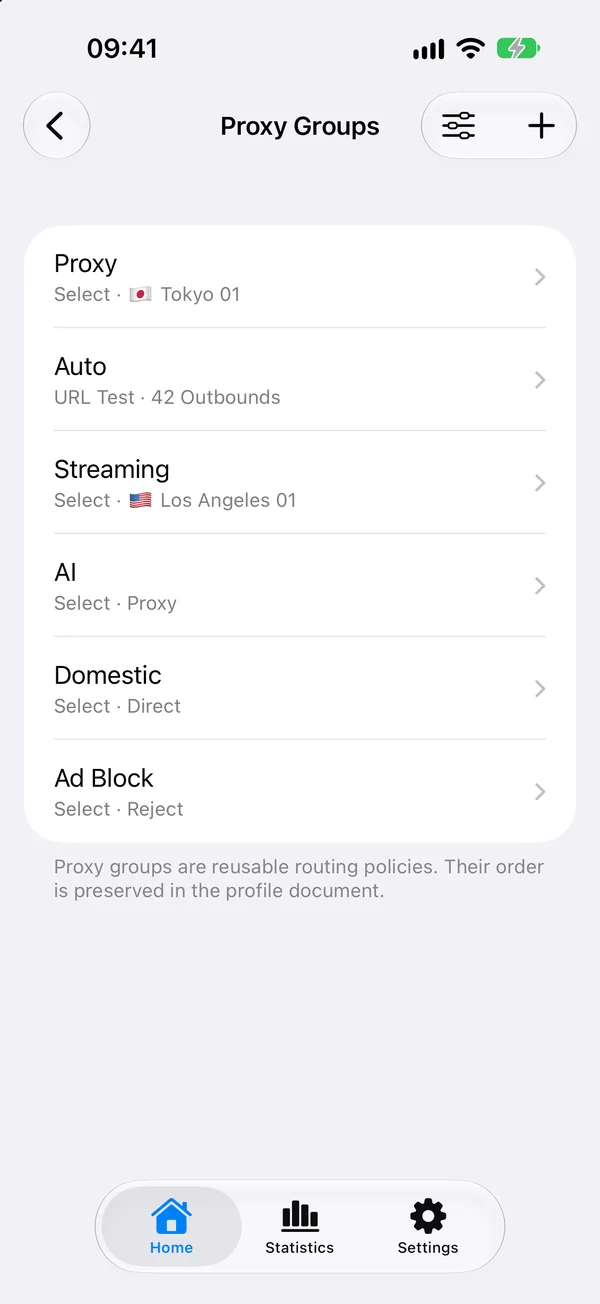
Create or edit a group
- On Home, tap More Configurations, then Proxy Groups.
- Tap a group to edit it, or tap the add button for a new one.
- Enter a Name, and under How to Choose a Node, choose a type.
- Add members:
- Add Proxy or Group adds proxies, other groups and built-in outbounds by hand, in order.
- Add Automatically adds every node of a subscription or proxy provider, including ones added by later updates. Use Filter to keep only nodes whose names contain a word or match a regular expression, or to leave some out.
- Tap Save.
Latency test settings
Fastest and Fallback groups test their nodes inside Potatso's runtime. Tap Latency Test to set:
- Test URL: an http or https URL to fetch through each node.
- Interval (seconds): how often to test.
- Tolerance (ms): for Fastest only. The group only switches when another node is faster by more than the tolerance.
- Expected Status: optional. The HTTP status a working node returns.
- Lazy Health Check.
These tests run inside the groups and don't need Pro.
Choose a node
The Main Outbound card on Home shows the node or group most traffic goes through. Tap a node to use it, or tap All Outbounds to see every choice.
The Routing section on Home lists your other groups. Tap a group to choose its outbound.
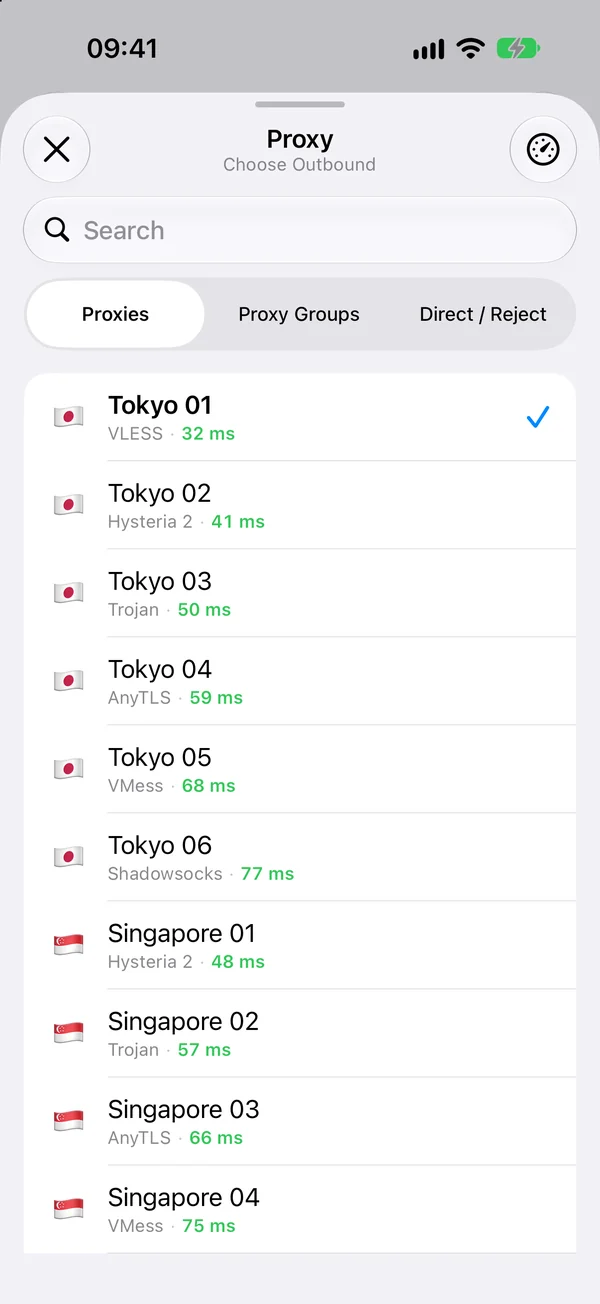
Pin a node in an automatic group
When the main outbound uses a Fastest or Fallback group, tapping one of its nodes asks how to use it:
- Pin in group: keeps the group on this node for now. Only available while connected. A pin in a Fastest group is skipped while the node is down; a pin in a Fallback group lasts until the node goes down. Tap Unpin to let the group choose again.
- Always Use This Node: makes the main outbound use this node, so the group stops picking automatically.
Test latency
Latency tests show how fast each server answers, in milliseconds, so you can pick a better one. Speed tests are part of Potatso Pro: tap the speed test button on Home or in an outbound list. With Pro, Potatso also tests your servers each time you open it.
Without Pro, tapping a speed test button shows the upgrade.
Test method
Open Settings and tap Speed Test to choose the Method:
| Method | What it measures |
|---|---|
| Proxy URL Test | Routes an HTTP URL test through the proxy, without starting the VPN. |
| TCP Connection | Opens a TCP connection to the proxy. |
| Ping | Uses ICMP ping. |
With Proxy URL Test, choose a Test URL: Google, Cloudflare, Apple, Microsoft or Custom. A custom URL must be http or https, and any 2xx or 3xx response counts. Changing the URL clears earlier results, because they no longer compare.