
DNS turns a domain name, such as example.com, into an address. Each profile in Potatso has its own DNS settings.
Open DNS settings
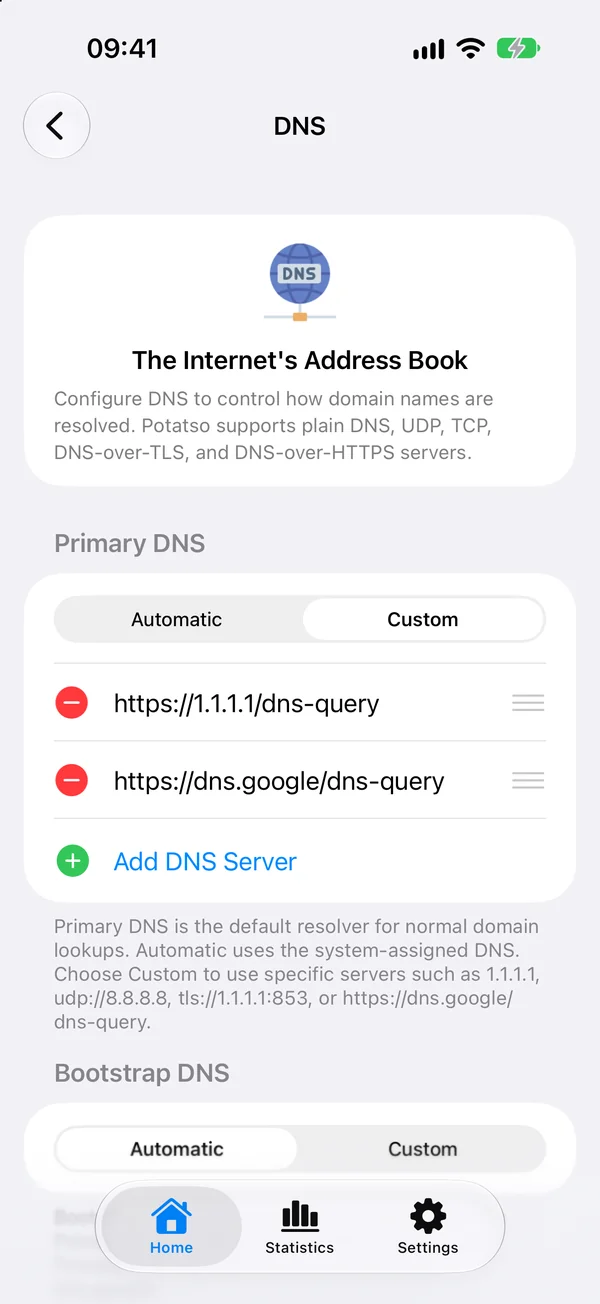
On Home, tap More Configurations, then DNS. Changes are saved when you leave the page.
DNS servers
The DNS page has up to four sections. Each one is Automatic or Custom. With Custom, tap Add DNS Server to add servers, and drag them to reorder.
| Section | Used for | Shown when |
|---|---|---|
| Primary DNS | Normal domain lookups. Automatic uses the DNS servers your network assigns. | Always |
| Bootstrap DNS | Looking up the names of your Primary DNS servers, such as dns.google. Use IP addresses here. |
Primary DNS has a server given by name |
| Server DNS | Looking up your proxy servers' hostnames before the proxy connection is available. | The profile has proxies |
| Direct DNS | Destinations that may connect without a proxy. Automatic keeps your local network's behavior. | The profile has proxies and rules |
Use Server DNS when Primary DNS can't resolve your server's domain, returns polluted results, or when the server domain needs DNS over HTTPS or TLS.
A Custom section with no usable server goes back to Automatic when you leave the page.
Server formats
| Protocol | Example |
|---|---|
| Plain DNS (UDP) | 1.1.1.1 or udp://8.8.8.8 |
| DNS over TCP | tcp://1.1.1.1 |
| DNS over TLS | tls://1.1.1.1:853 |
| DNS over HTTPS | https://dns.google/dns-query |
DNS over QUIC (quic://) isn't supported. When a server can't be used, Potatso shows Won't be used and the reason under it, and leaves it out when saving.
Imported DNS settings
When you import a Clash or Mihomo configuration, Potatso fills these sections from its dns settings:
| Clash key | Potatso section |
|---|---|
nameserver and fallback |
Primary DNS |
default-nameserver |
Bootstrap DNS |
proxy-server-nameserver |
Server DNS |
direct-nameserver |
Direct DNS |
Other dns settings, such as nameserver-policy, fake-ip-filter and enhanced-mode, aren't imported. A Surge profile's dns-server and encrypted-dns-server are imported too.
In Smart mode, Smart brings its own DNS servers for your region. See Smart Routing.
Fake-IP
While Potatso is connected, it answers apps' DNS queries with Fake-IP addresses from the 198.18.0.0/15 range, and looks up the real address itself when it needs one. This way, rules can match the domain the app asked for.
What this means for you:
- A network tool on your device, such as a ping or DNS lookup app, shows a
198.18.x.xaddress for most domains while Potatso is connected. That's expected, not an error. - Apps get IPv4 answers only.
- To see the real address of a domain, disconnect Potatso first.